

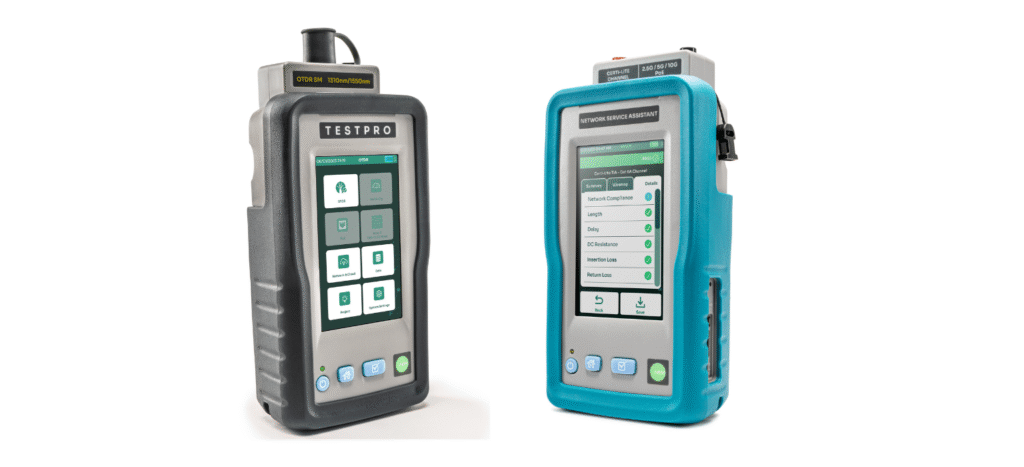
The latest firmware upgrades for TestPro and the Network Service Assistant (NSA) are designed to reduce time spent on setup and configuration. With automatic adapter recognition, devices instantly detect connected modules and load the correct test profiles—removing guesswork and minimising errors in the field. Enhanced audible notifications also provide clearer real-time feedback during testing, while improved labelling capabilities allow users to organise results more efficiently across projects.
The latest firmware updates can be downloaded from the website or contact us below.
Connected Workflows from Office to Field
A key highlight of Version 6.1 is the new Project Management Suite. Users can now create and configure projects within TestDataPro and deploy them directly to TestPro or NSA devices with a single click. This seamless integration bridges the gap between planning and execution—ensuring consistency across teams, reducing rework, and improving visibility for project managers.
Ready for Evolving Network Demands
The updated firmware expands support for emerging technologies, including enhanced Single Pair Ethernet capabilities on TestPro and extended test limits for leading cable systems. These enhancements ensure that AEM Networks’ solutions remain aligned with the increasing demands of high-speed, data-intensive environments—helping users stay compliant while preparing for future network requirements.
Smarter Reporting and Analytics
TestDataPro Version 6.1 introduces meaningful upgrades in reporting and data analysis. A redesigned PDF layout improves report clarity and professionalism, while one-click duplicate detection helps maintain clean and accurate datasets. Built-in analytics tools provide deeper visibility into test results—enabling users to identify trends, troubleshoot issues faster, and make more informed decisions.
Easy Access, Minimal Disruption
Firmware updates for TestPro and NSA, along with the latest TestDataPro software, are available via the “My Account” section on the AEM Networks website. TestDataPro can also be downloaded from the Microsoft Apps Store and Apple App Store. With automatic update functionality supported, users can stay current with minimal effort.
Driving Productivity Across the Network Lifecycle
With Version 6.1, AEM Networks continues to enhance its integrated testing ecosystem—helping users move faster from installation to validation and ongoing network assurance. The result is greater efficiency, improved accuracy, and stronger confidence in every test.
Detailed List of Improvements
Improvements in TestPro and NSA Firmware v6.1
- New Project Management Suite: Seamlessly create and configure projects within TestDataPro, then deploy them directly to TestPro or NSA with a single click.
- Labeling Scheme Enhancement: Profiles now support a library of multiple labels, allowing users to select the most appropriate label for each test instance.
- Adapter Recognition: Automatically identifies the connected adapter and loads the corresponding profile instantly, eliminating the need for manual selection.
- Improved audible notification (beep) provides users with a more intuitive understanding of the indication based on the progression of tones heard.
- Integrated support for Single Pair Ethernet SP2 and SP3 limits. (TestPro only)
- New extended reach test limits added for Siemon and Hubbell cables
Improvements in TestDataPro v6.1
- New Project Management Suite: Seamlessly create and configure projects within TestDataPro, then deploy them directly to TestPro or Network Service Assistant (NSA) device with a single click.
- One-Click Duplicate Detection: automatically identifies and flags duplicate test records within the database.
- Optimized PDF Report Layouts: redesigned the PDF reporting layout to improve data scannability.
- Expanded Localization Support: Portuguese, Finnish and Czech Republic
- Devices now support automatic firmware updates for improved performance and convenience. This was implemented in v5.4.303, but is a noteworthy feature to highlight, as it streamlines the firmware update process so users can perform the update without the need to first download the upgrade file.
Recent Comments